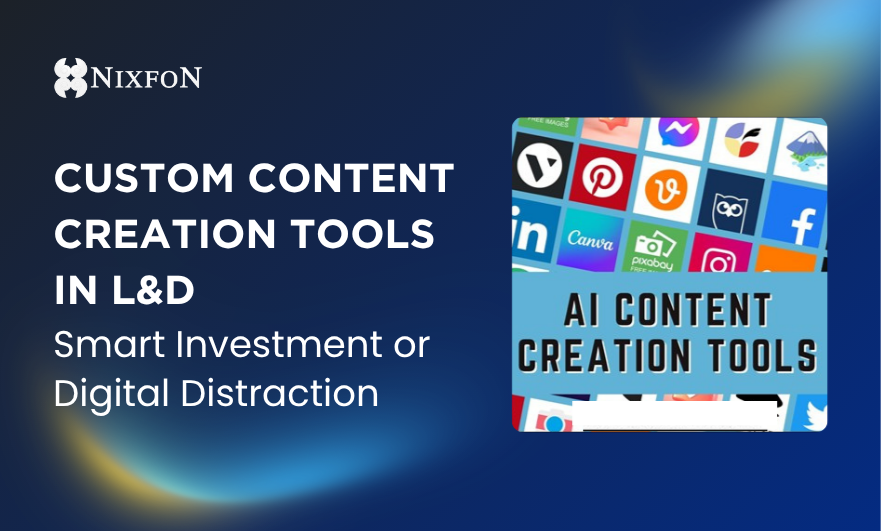
Custom Content Creation Tools in L&D – Smart Investment or Digital Distraction
Are your L&D content creation tools solving real business challenges or just collecting digital dust? Discover how to move past the platform hype and align your tech stack with a clear strategic narrative. Read our guide to choosing the right e-learning, video, and AI tools for intentional, high-impact learning design.
Hazie Halim
6/16/20263 min read
Every L&D team has lived this moment.
A stakeholder says, “Can we make this more engaging?”
Which usually translates to:
· Add video
· Add animation
· Add interaction
· Add magic
And suddenly, someone is evaluating five new tools, three free trials, and one platform that promises to “revolutionise learning forever”.
A few moments later, the platform sits there, collecting dusts.
Custom content creation tools are powerful. But, they are not strategy. They are instruments.
The real question is not “which tool is the best?”. It is “what problem are we solving?”.
First, what are custom content creation tools? In simple terms, these are platforms that allow L&D teams to design, build, and deliver learning materials tailored to their organisation’s needs.
They range from:
· E-Learning authoring tools
· Video and animation platforms
· Microlearning builders
· AI-assisted content generators
· Interactive quiz and assessment tools
· Graphic and visual design platforms
Some are drag-and-drop friendly. Some require technical depth. All promise efficiency, but each serves different purpose. We’ll share with you the different types of tools that can meet your objectives in the table below, but for now, to avoid the tools being a dust collector, let’s dive into the real matter first.
How These Tools Help L&D Solve Real Challenges
L&D today faces familiar pressures: faster content turnaround, budget scrutiny, demand for measurable impact, and learners with shrinking attention spans (thanks TikTok!).
Having a custom content tool can help the L&D with reducing development time, enabling internal content ownership, supporting blended and digital strategies, enhancing engagement through interactivity, and allowing rapid updates when business priorities shift.
But most importantly, they enable agility. And agility is strategic.
However, these tools require skills and knowledge, not just to use it, but to also knowing how to choose the right tool based on your organisation needs. When you understand the needs and evaluate the importance, the tools you choose will no longer be wasted and will serve a purpose to your strategic game.
So, how do you choose the right tool? Before signing up for another subscription, ask:
1) What capability gap are we addressing?
If the goal is behavioural change in leadership conversations, an animation tool alone will not solve it. Match the tool to the outcome.
2) Who will use it?
Consider technical skill level of your team, the time available for development, and the support from IT. A powerful tool that no one can confidently use becomes an expensive icon on your desktop.
3) What is your learning ecosystem?
Does it integrate with your LMS? Does it support analytics? Can it scale across departments? Tool decisions should align with your broader learning strategy.
The Different Types of Content Creation Tools
e-Learning Authoring Tools
They are used to build structured online modules with interactions, quizzes, and multimedia.
Commonly used tools and typically paid and ideal for formal learning programmes:
· Articulate (Rise Storyline)
· Adobe Captivate
· iSpring
Video and Animation Tools
Great for storytelling, explainer content, and scenario-based learning.
These are the popular options and increased engagement, but only when aligned with a clear learning objective:
· Vyond
· Camtasia
· Canva (free and paid plans)
Microlearning and Interactive Platforms
Designed for bite-sized content and reinforcement.
These are helpful for reinforcements, knowledge checks, and on-the-go learning:
· TalentCards
· 5minsAI
· Kahoot!
AI-Assisted Content Tools
These tools support drafting scripts, generating quizzes, or summarising materials. They can accelerate production, but human judgment remains essential.
Common platforms:
· OpenAI tools
· Notion AI
· Jasper
Graphic & Design Tools
For visuals, infographics, job aids, and learning assets.
Widely used tools:
· Canva
· Adobe Creative Cloud
Custom content tools are not about looking modern. They are about building internal capability. When L&D can create, adapt, and deploy learning quickly, it strengthens its role as a responsive partner to the business.
Instead of outsourcing every solution, you build internal design strength. Instead of waiting months, you prototype in weeks. That responsiveness builds trust.
At Nixfon Learning, we believe technology should serve clarity, not complicate it. Custom content creation tools are powerful when guided by strong thinking. Without that, they are just very expensive colouring books.
Choose wisely, design intentionally, and let strategy lead the subscription list.
Till we meet again in the next episode!
About the author
Hazie Halim has more than 15 years of experience in Talent Management Solution and L&D Tech. Her approach has never been about the technology; it has always been about the people in the industry. She understands HR & L&D, she understands the pain and the stress, and she understands the fear and reluctance of system integration drama. Combining these has allowed her to be compassionate when sharing her experience and knowledge during project implementation. She is passionate about making the HR & L&D experts look good in front of their stakeholders. Their win is her win.


Unlock a world of thrilling content
Join our newsletter today
Resources


Unit 7.06, Level 7, Amcorp Trade Centre, 18, Persiaran Barat, 46050 Petaling Jaya, Selangor.
Nixfon (M) Sdn Bhd (633379-V)